

Pallapay Gift Card
Pallapay crypto gift-card is a multi-functional card that bridges the world of crypto and real-world purchases. Whether you’re looking to convert crypto to spendable funds or buy crypto conveniently, Pallapay makes it fast, secure, and easy.
Step 1
Sign Up & Verify
- Register at https://dashboard.pallapay.app/auth/register.
- Complete account verification by submitting the required documents.
Step 2
Purchase & Activation
- Buy your gift card from any Pallapay trusted partner store.
- The card will be activated instantly, and a PIN code will be sent to your email.
Step 3
Access Your Gift Card
- Log in to your Pallapay account on the Pallapay App.
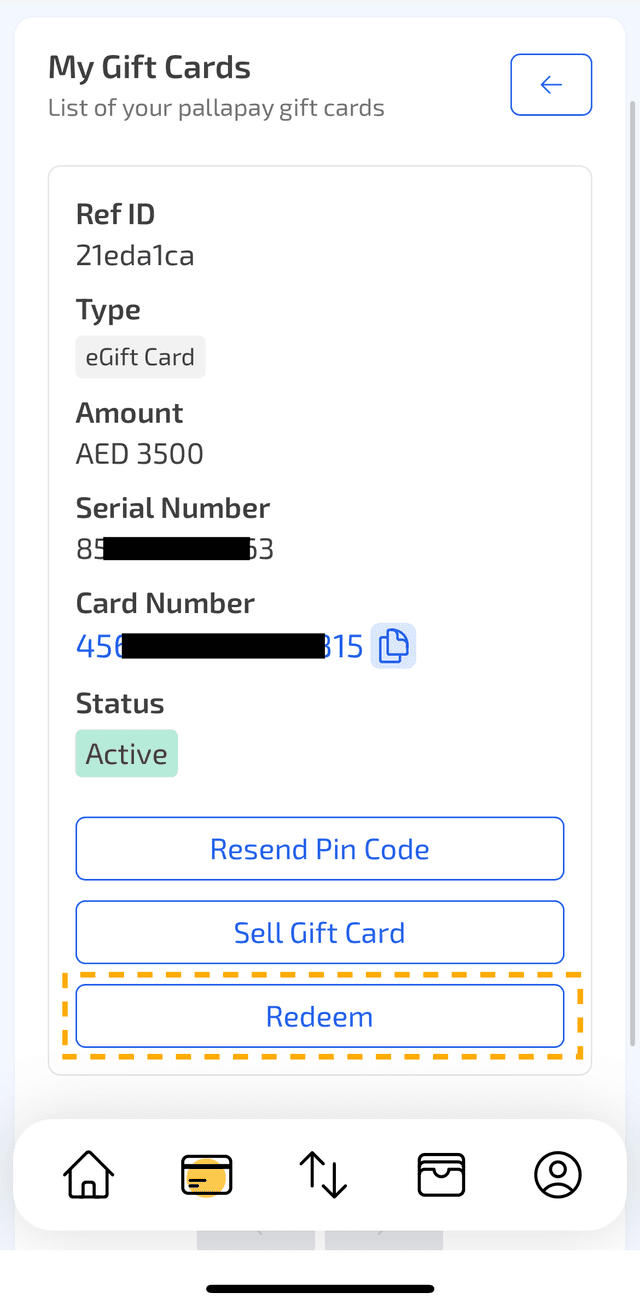
- Go to Crypto Gift Card → All My Gift Cards.
- You will see your purchased gift card listed as Active.
Step 4
Redeem Your Gift Card
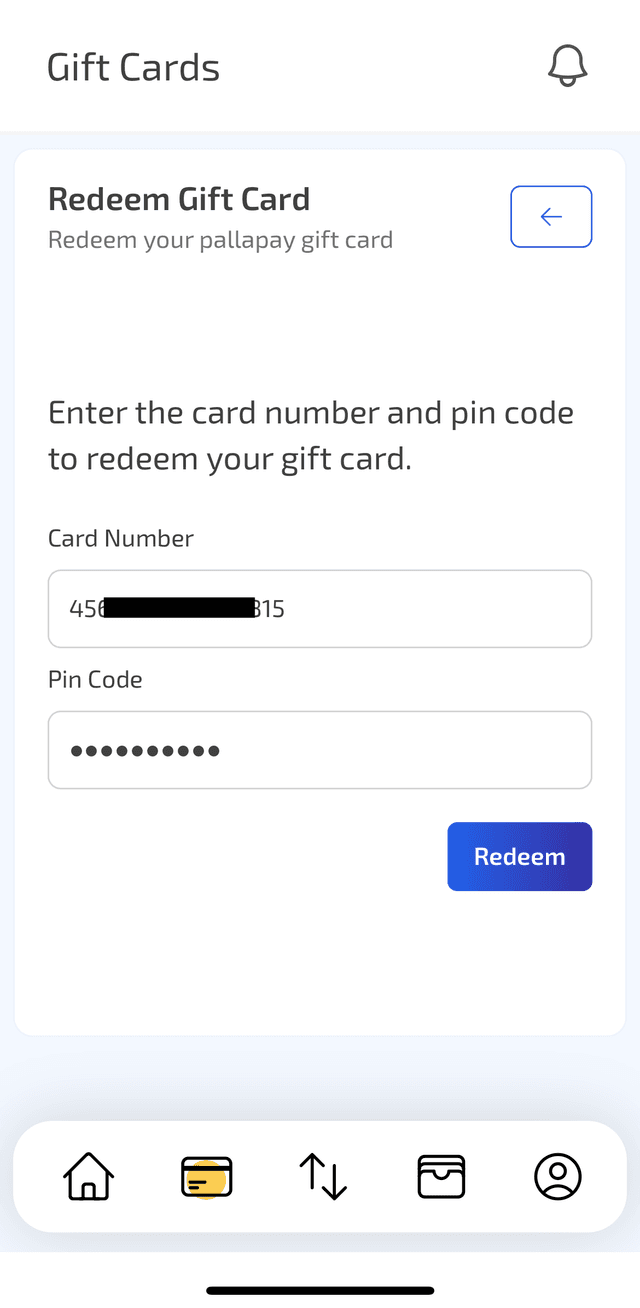
- Click Redeem and enter the PIN code received by email.
- If you haven’t received the PIN, click Resend PIN Code.
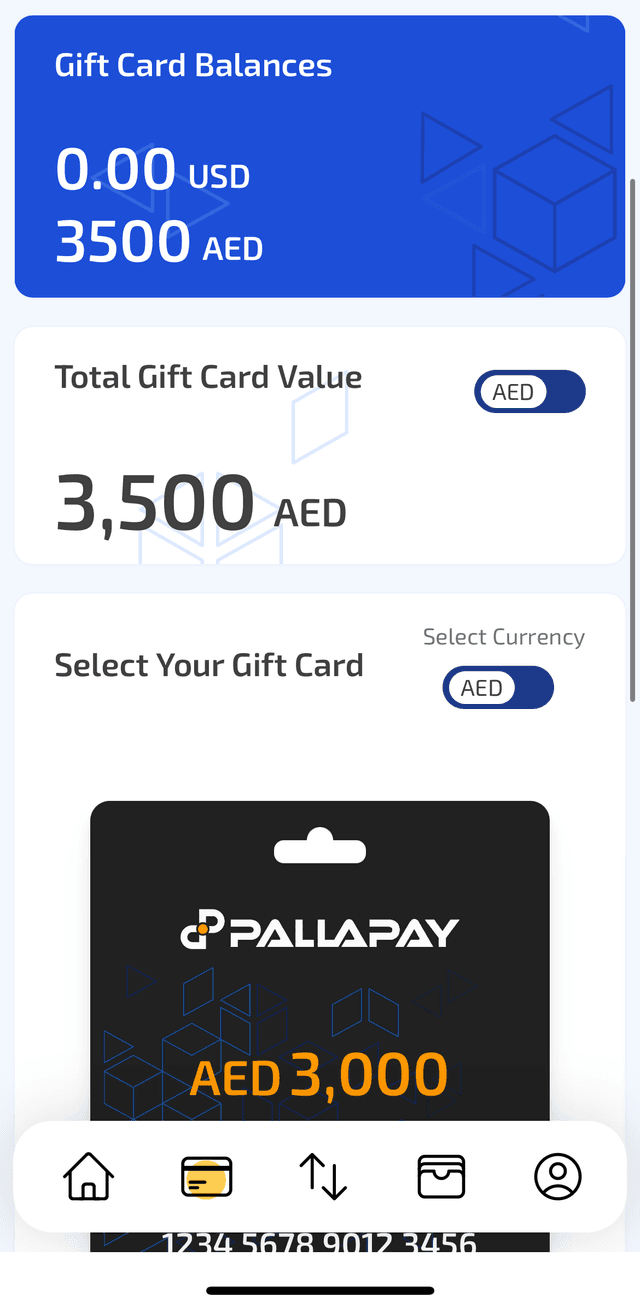
- Once redeemed, the balance will be added to your Gift Card Balance.
Step 5
Withdraw Crypto
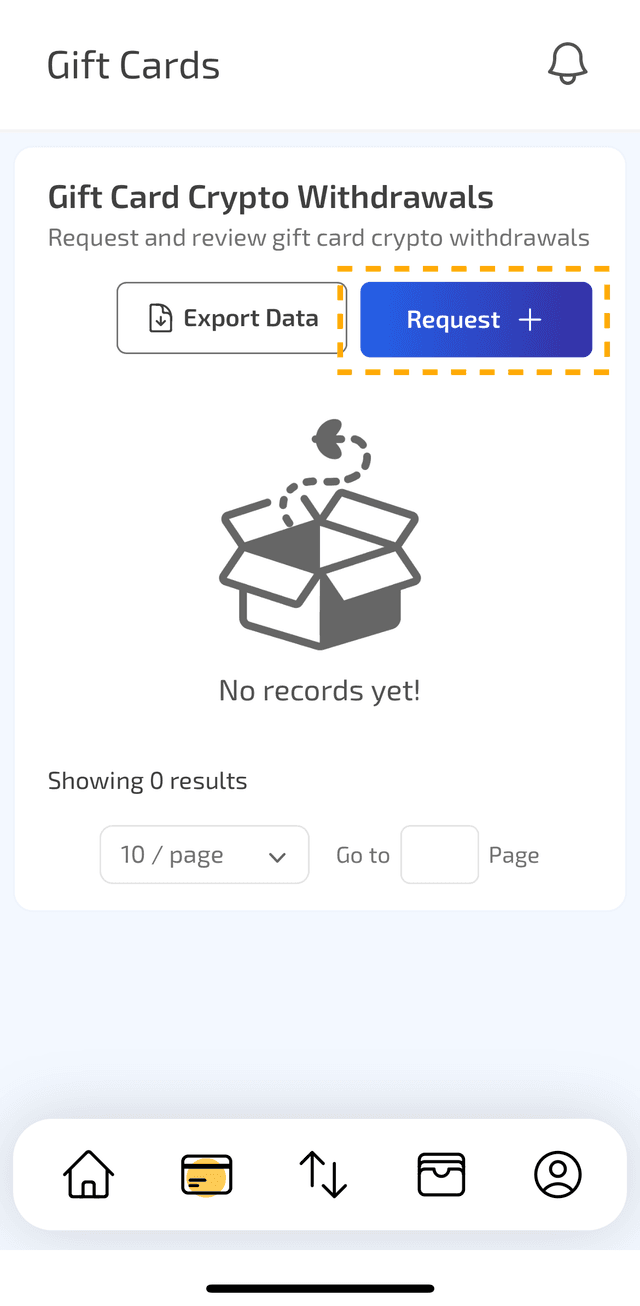
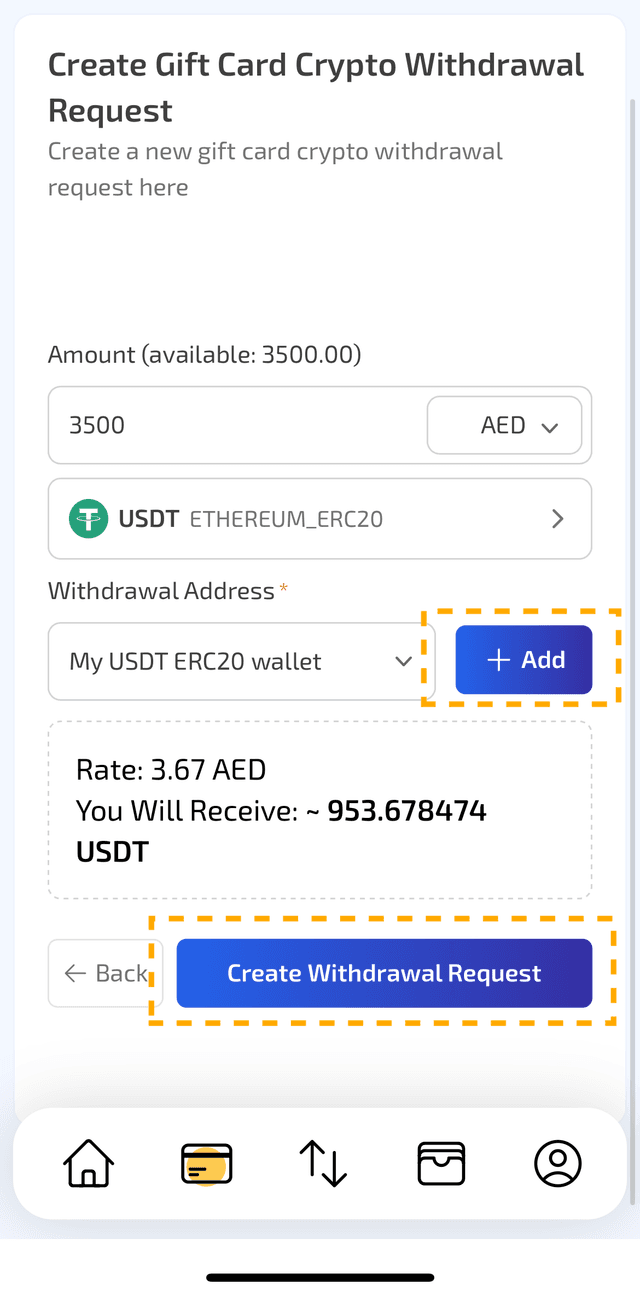
- Navigate to Gift Cards → Crypto Withdrawals.
- Click Request, then click Add next to Withdrawal Address to save your wallet address.
- In the withdrawal request section:
- Enter the desired amount from your balance.
- Select the cryptocurrency you want to receive.
- Choose your wallet address.
- Click Create Withdrawal Request.
- Enter the verification code sent to your email.
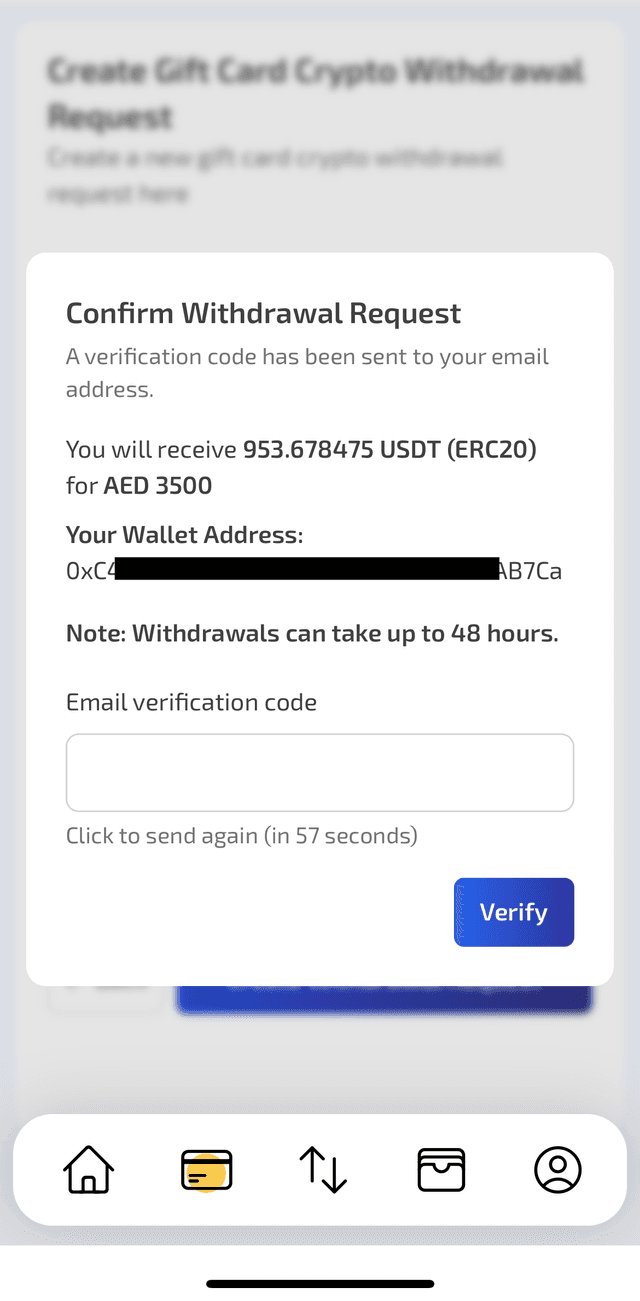
That’s it! Your withdrawal request will be processed, and the crypto will be sent to your wallet.